
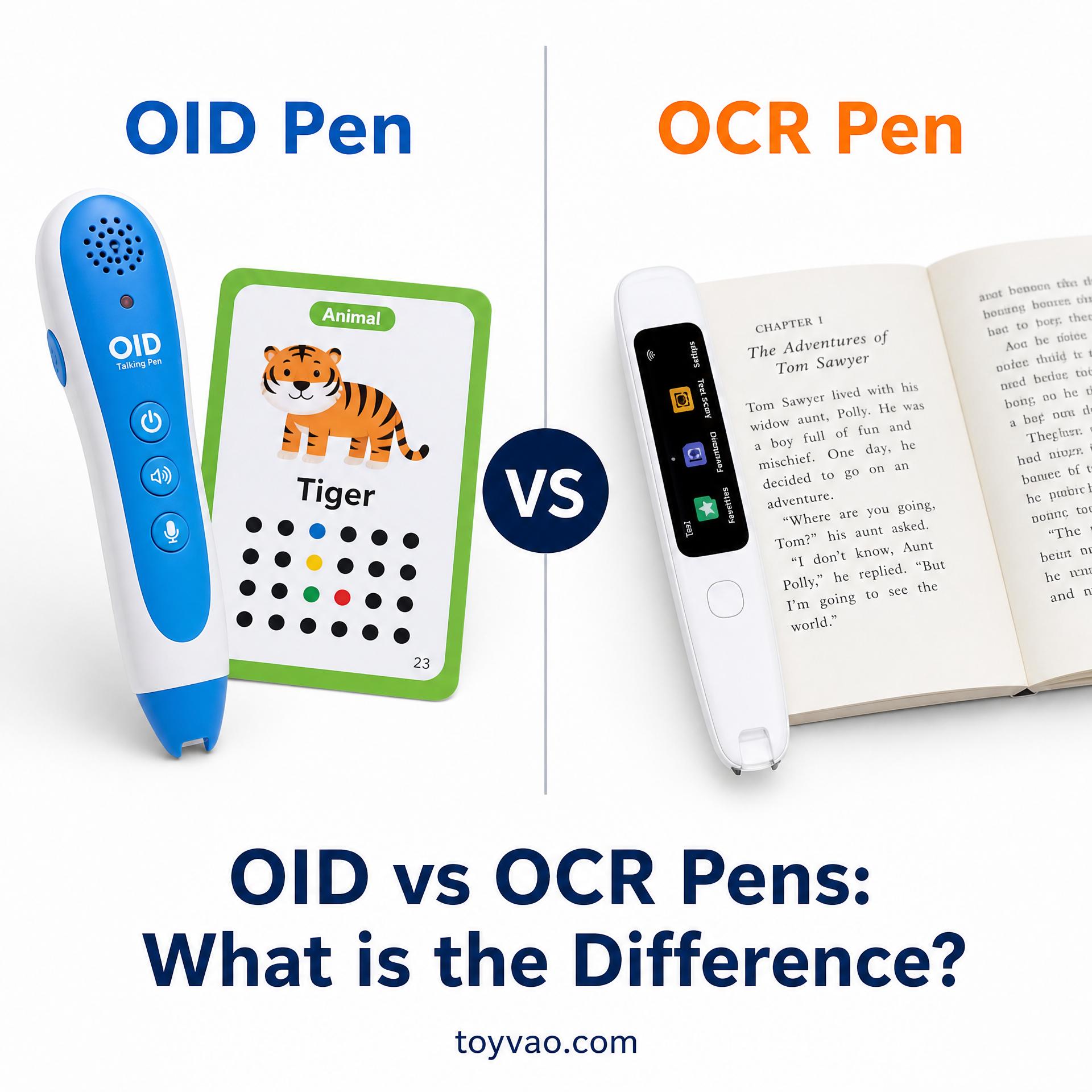
What is the Difference Between OID and OCR Pens?
In the evolving landscape of educational technology, reading pens have emerged as powerful tools to enhance learning and accessibility. Among these, two primary technologies stand out: Optical Identification (OID) and Optical Character Recognition (OCR). While both aim to bridge the gap between physical text and digital interaction, they operate on fundamentally different principles, catering to distinct use cases. The core difference lies in their recognition method: OID pens read pre-encoded, invisible dot patterns on specially prepared materials for instant audio playback, whereas OCR pens scan visible text on almost any printed surface, converting it into editable digital text that can then be read aloud. Understanding these distinctions is crucial for educators, parents, and businesses like Toyvao looking to leverage the right technology for their specific needs.
Understanding OID (Optical Identification) Pens
OID technology forms the backbone of many interactive learning tools, particularly those designed for early childhood education. An OID reading pen, often referred to as a talking pen, utilizes a tiny, high-speed camera embedded in its tip to detect microscopic dot patterns printed on paper. These patterns are invisible to the naked eye but contain encoded information linked to specific audio files stored within the pen’s memory. When the pen touches a coded area on a book or flashcard, it instantly triggers the corresponding audio playback.
How OID Technology Works
The process is seamless and intuitive. Each dot pattern acts as a unique identifier, much like a tiny QR code. When the pen’s optical sensor scans this pattern, a microchip (often a Sonix chipset) decodes the information and retrieves the associated audio file. This allows for immediate and precise audio feedback, whether it’s pronouncing a word, playing a sound effect, or narrating a story. The entire operation is offline, requiring no internet connection or external devices once the content is loaded onto the pen.
Applications and Advantages
OID pens are widely adopted in:
- Early Language Acquisition: Helping young children learn phonics, vocabulary, and pronunciation in various languages.
- Interactive Storybooks: Bringing stories to life with character voices, background music, and sound effects.
- Educational Flashcards: Providing instant audio reinforcement for learning letters, numbers, and concepts.
- Special Education: Offering tactile and auditory reinforcement for students with learning difficulties.
The primary advantages of OID pens include their instantaneous response time (typically less than 120ms), offline functionality, and the ability to provide a screen-free learning experience. This makes them ideal for minimizing distractions and promoting focused engagement with physical learning materials. For manufacturers like Toyvao, specializing in electronic educational toys such as talking flash cards and reading pens, OID technology is paramount for creating engaging and effective learning products.
Disadvantages of OID Pens
- Book Dependency: They only work with specially printed materials that contain the invisible OID codes. This means they cannot be used with standard books, newspapers, or documents.
- Limited Editing: The audio content is pre-encoded and stored; users cannot easily edit or create new audio associations on the fly without specialized tools.
- Content Licensing: Publishers need to license OID chipsets and encoding rights, which can sometimes lead to content lock-in or regional variations in compatibility.
Understanding OCR (Optical Character Recognition) Pens
OCR technology, in contrast to OID, is designed for broader text recognition. An OCR pen scanner, or scanning pen, uses a small camera to capture images of visible text as it’s swiped across a page. This image is then processed to convert the graphical representation of characters into machine-readable text.
How OCR Technology Works
When an OCR pen scans text, its internal software employs sophisticated algorithms to analyze the shapes of letters and words. This process, known as optical character recognition, identifies individual characters and converts them into digital text strings. Once digitized, this text can be stored, edited, translated, or read aloud using a text-to-speech (TTS) engine. Modern OCR pens often incorporate AI to improve accuracy and provide more natural-sounding speech.
Applications and Advantages
OCR pens are highly versatile and are commonly used for:
- Reading Assistance: Helping individuals with dyslexia, visual impairments, or reading difficulties to access printed materials by converting text to speech.
- Language Translation: Scanning foreign text and providing instant translations and pronunciations.
- Data Entry and Digitization: Quickly transferring printed text from documents, books, or magazines into a computer or mobile device for editing and storage.
- Note-Taking: Digitizing handwritten notes or excerpts from textbooks.
The main advantage of OCR pens is their versatility to work with almost any printed text, from books and newspapers to labels and documents, without requiring special encoding. They empower users to independently access a vast range of information, making them invaluable tools for students, professionals, and those needing accessibility support.
Disadvantages of OCR Pens
- Latency: The process of scanning, recognizing, and converting text to speech can introduce a slight delay (typically 1-2 seconds), which might feel less immediate than OID.
- Accuracy Issues: Recognition accuracy can be affected by factors such as font style, text size, print quality, lighting conditions, and the angle at which the pen is held.
- Battery Consumption: The continuous scanning and processing can lead to faster battery drain compared to OID pens.
- Screen Dependency: Many OCR pens display the scanned text on a small screen, which might not be ideal for a screen-free learning environment.
OID vs. OCR Pens: A Comparative Analysis
To further clarify the distinctions, the following table provides a comprehensive comparison between OID and OCR pen technologies:
| Feature | OID (Optical Identification) Pen | OCR (Optical Character Recognition) Pen |
|---|---|---|
| Recognition Method | Scans invisible dot patterns on specially coded paper. | Scans visible printed text (characters) on almost any surface. |
| Content Source | Pre-encoded audio files linked to dot patterns. | Converts scanned text into digital text, then uses Text-to-Speech (TTS). |
| Material Compatibility | Only works with specially printed, OID-enabled books/materials. | Works with virtually any printed text (books, newspapers, documents). |
| Response Time | Instantaneous (typically <120ms) audio playback. | Slight delay (1-2 seconds) for scanning, recognition, and TTS. |
| Primary Use Case | Early childhood education, interactive learning, language acquisition. | Reading assistance, language translation, data entry, accessibility. |
| Offline Functionality | Fully offline once content is loaded. | Generally offline for basic functions; Wi-Fi may be needed for updates/cloud features. |
| Accuracy Factors | High accuracy with compatible materials; less affected by print quality. | Affected by font, size, print quality, lighting, and scanning technique. |
| Screen Interaction | Typically screen-free, focusing on physical interaction. | Often includes a small screen to display scanned text. |
| Manufacturer Focus (e.g., Toyvao) | Ideal for creating engaging, interactive educational toys like talking flash cards and reading pens for young learners. | Less direct application for interactive educational toys, more for assistive technology or productivity tools. |
When to Choose Which Technology
- Choose OID if: Your primary goal is to create highly interactive, engaging learning experiences for young children using specially designed materials. If you are an OEM/ODM manufacturer like Toyvao, OID technology allows for the development of bespoke educational toys that offer a seamless, screen-free, and instant audio-visual learning journey. It’s perfect for structured learning environments where content is curated and pre-programmed.
- Choose OCR if: Your need is for a versatile tool that can help individuals read, translate, or digitize text from a wide variety of printed sources. OCR pens are invaluable for accessibility, independent study, and productivity, offering flexibility across different texts and languages.
Conclusion
Both OID and OCR pens represent significant advancements in making printed information more accessible and interactive. OID pens excel in delivering a highly controlled, immersive, and instant audio experience for specific educational content, making them a cornerstone for interactive learning products such as Toyvao’s talking flash cards and reading pens. OCR pens, on the other hand, offer unparalleled versatility, enabling users to digitize and vocalize text from almost any printed source, serving as powerful assistive and productivity tools. Understanding their unique mechanisms and applications allows for informed decisions, ensuring that the right technology is chosen to meet specific educational and accessibility goals.
Ready to Source Talking Pens & Reading Pens for Your Brand?
Toyvao is a Shenzhen-based OEM/ODM manufacturer specializing in electronic educational toys, including talking pens, reading pens, and talking flash cards. With 15+ years of experience and CE/FCC/EN71/ASTM certifications, we help global brands develop custom reading pen products from concept to shelf.
- Email: sales@toyvao.com
- WhatsApp: +86 186 8106 4480
- Website: https://toyvao.com
