
Executive Summary
Choosing the right audio codec and file format for OID (Optical Identifier) Picture Book Reading Pens decisively affects device cost, battery life, playback responsiveness, audio quality, storage requirements, and the complexity of the firmware and authoring pipeline. This guide compares MP3, WAV (PCM), and OGG (Vorbis) in the specific context of reading pens where use cases are dominated by short, on-demand narration snippets, page-level random access, low-power embedded hardware, small integrated speakers, and strict BOM budgets.
Key recommendations:
– For constrained hardware with a hardware MP3 decoder: use mono MP3 CBR 64 kbps (44.1 kHz or 22.05 kHz), or 32–48 kbps if voice-only and tested on target speaker. Benefits: low CPU, small files, standard tooling, minimal IP risk (patents expired).
– For devices where software decoding is acceptable and slightly better quality/space efficiency is desired: use Ogg Vorbis at 32–48 kbps mono (22.05 kHz) for voice. Requires more CPU/RAM and careful testing for latency.
– For maximum reliability, precise seeking, or minimal firmware complexity: use WAV PCM (16-bit mono, 16 kHz or 44.1 kHz) when storage is plentiful and real-time random access and zero-decode latency are priorities.
– For authoring and packaging: prefer a single container file per book with a separate index/TOC mapping OID IDs to byte offsets and lengths. If using encryption, use AES-CTR or block-based schemes that allow random access.
This guide provides detailed trade-offs by codec, sample rates, bitrates, CPU/RAM expectations, file-size calculations, seeking and indexing strategies, packaging recommendations, licensing considerations, BOM cost impacts, test criteria, and an actionable decision checklist.
What Is Picture Book Reading Pen and Who Uses It
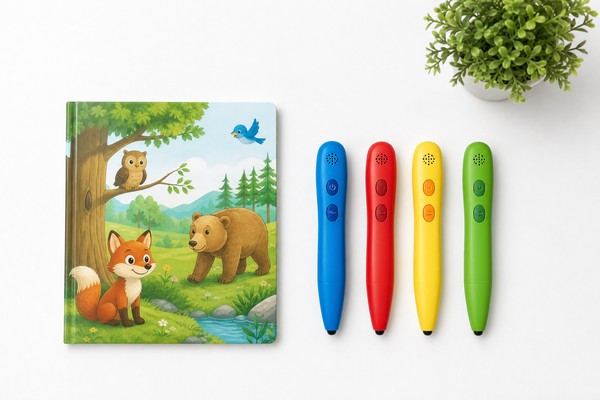
OID Reading Pens (also called Story Pens, Talking Book Pens, or Picture Book Reading Pens) are hand‑held embedded devices for children. A pen’s tip reads a printed pattern (an OID) on a page; the pen maps that OID to audio content and immediately plays the corresponding narration or sound effect through its onboard speaker or headphones. Primary stakeholders:
- Children and caregivers: expect instant playback, intelligible narration, safe volume limits, durable hardware.
- Publishers and content producers: need accurate mapping from page regions to audio snippets, controlled audio quality, and efficient storage of multi-language assets.
- OEMs and contract manufacturers: balance BOM cost (flash, CPU, SoC with/without hardware decoder), power budget, and development time.
- Distributors and retailers: want predictable unit economics and compliance (safety, content rating).
Typical device constraints:
– Small speaker (0.5–2 W), mono output common
– Limited flash (e.g., 8 MB–512 MB depending on price tier)
– Microcontroller/SoC from low-end Cortex‑M to low-cost application processors
– Battery: coin or small Li‑ion battery—impacts decoding power budget
– Need for quick response: typical acceptable start latency <150–250 ms from tap to audio
These constraints define the codec/format decisions more than absolute audio fidelity standards used in studio or streaming applications.
Why Demand Is Growing
Demand for OID Reading Pens is increasing because:
– Early literacy initiatives emphasize multimodal learning: touching pages to hear narration supports vocabulary and comprehension.
– Publishers seek value-added interactive products without the recurring cost of network connectivity.
– Global markets require multi-language authoring and efficient storage for many short audio assets.
– Lower-cost SoCs and flash have reduced hardware BOM, enabling broader adoption in education and gifting markets.
This growth drives two pressures:
– Minimize per-unit cost (smaller flash, cheaper SoCs) without damaging user experience.
– Support more languages and richer audio (music, sound effects), which increases storage pressure.
The codec and file-format choice is the primary lever to balance these pressures: smaller per-book audio size reduces flash required and allows cheaper hardware or more content per device.
Key Technology Differences
This section compares technical attributes of WAV, MP3, and OGG relevant to OID reading pens.
WAV (PCM) — Characteristics
– Audio: Uncompressed PCM data (commonly 16-bit, mono or stereo).
– Sample rates: Commonly 8 kHz, 16 kHz, 22.05 kHz, 44.1 kHz, 48 kHz.
– Pros: Lowest decoder complexity (essentially a file read + DAC), deterministic sample addressing (easy to seek to exact sample offsets), zero compression artifacts, minimal latency.
– Cons: Largest file sizes (e.g., 16 kHz, 16-bit mono = 256 kbps = 32 KB/s), higher flash requirements and read bandwidth/power.
– Use case: Devices prioritizing immediate page-level seeking, precise start/stop, or where CPU is very constrained but flash is abundant.
MP3 (MPEG-1/2 Layer III) — Characteristics
– Audio: Lossy perceptual codec. Widely supported; historically patent-encumbered (patents now expired globally).
– Sample rates: Typically 32, 44.1, 48 kHz (but can operate with downsampled content); common practice is 44.1 kHz source with encoding at reduced bitrate.
– Bitrates: CBR or VBR commonly from 32 kbps up to 256+ kbps; speech usually acceptable at 32–64 kbps mono depending on quality target.
– Pros: Small file sizes, decent speech quality, wide tooling support, many SoCs include hardware MP3 decoders (reduces CPU/power).
– Cons: Seeking is frame-based (frame sizes depend on bitrate and sample rate), not sample-accurate without building an index; some encoders insert encoder delay/padding (gapless issues unless encoder stores padding info).
– Use case: Devices with hardware MP3 support or that can tolerate small seek quantization and encoder-delay handling.
OGG Vorbis — Characteristics
– Audio: Open-source lossy codec (Vorbis), typically better quality than MP3 at the same bitrate for speech/music.
– Bitrates: Flexible; good voice quality in 24–48 kbps mono when tuned.
– Pros: Better compression/quality tradeoff at low bitrates; royalty-free; supports granule positions that assist precise seeking/gapless playback.
– Cons: Decoder complexity and RAM needs typically higher than MP3; fewer SoCs include hardware Vorbis decoders; more power when decoded in software.
– Use case: Devices with enough CPU/RAM budget and where minimizing flash is valuable relative to CPU/power cost.
Key differences summarized:
– Latency/seek precision: WAV > OGG (with granule) > MP3 (unless index added).
– Storage efficiency: OGG ≈ MP3 (OGG better at low bitrates) >> WAV.
– CPU/power: WAV (lowest) if DAC direct > MP3 hardware (low) > MP3 software (moderate) > OGG software (highest).
– Tooling and compatibility: MP3 (widest), WAV (universal), OGG (good OSS ecosystem).
Key Features and Specifications to Evaluate
When selecting a codec and file format for a pen project, evaluate these concrete specifications and design constraints.
Audio Quality Targets
– Voice intelligibility: Measure speech in terms of clarity on the device speaker at typical listening distance (30–40 cm) and at output SPL limited to safe levels (e.g., 70–80 dB for children).
– Bitrate targets: common recommendations:
– Voice-only on constrained hardware: MP3 mono 32–64 kbps CBR; OGG Vorbis 24–48 kbps VBR/CBR.
– Mixed voice + music: MP3 mono 96–128 kbps or stereo 128 kbps; OGG 96–128 kbps.
– Uncompressed for highest fidelity or when no decoding latency allowed: PCM 16 kHz mono (256 kbps) or 44.1 kHz where music is present.
– Sample rate: For spoken narration, 16 kHz is often sufficient (telephone-quality), 22.05 kHz gives better high-frequency presence, 44.1 kHz mainly for music.
– Bit depth: 16-bit PCM is standard; compressed codecs map to equivalent dynamic range.
Storage and File-Size Planning
– Calculate storage needs based on chosen bitrate:
– PCM 16 kHz mono: 256 kbps = 32 KB/s → 1 minute = 1.92 MB; 10 minutes = 19.2 MB.
– MP3 64 kbps mono: 64 kbps = 8 KB/s → 1 minute = 480 KB; 10 minutes = 4.8 MB.
– OGG 32 kbps mono: approx 4 KB/s → 1 minute = 240 KB; 10 minutes = 2.4 MB.
– Size impact on BOM: each doubling of storage (e.g., 128 MB → 256 MB) has a direct cost implication. Account for filesystem overhead and spare capacity for firmware, languages, bonus content.
Playback Responsiveness
– Target tap-to-sound latency: <200 ms for good UX. Components contributing to latency:
– OID decode and lookup (typically <50 ms).
– File open and seek time dependent on filesystem and number of files.
– Decoder initialization time (MP3 hardware: ~10–30 ms; MP3 software: depends on CPU and buffer size; OGG software typically longer).
– Output buffering and DAC startup (10–50 ms).
– Minimization techniques: keep decoder warmed, use prefetch buffers, optimize filesystem layout (single container vs many small files), precompute index for fast offset lookup.
Seek Accuracy and Indexing
– For per-region playback, you must map OID to a start offset and duration in bytes or samples.
– WAV: mapping is straightforward — sample index = byte offset / (channels * bit depth/8).
– MP3: frame-based. Frame boundaries correspond to 1152 samples (MPEG1) or smaller for MPEG2. For accurate start positions you need a per-chunk frame index or small per-segment files.
– OGG Vorbis: granule position enables sample-accurate mapping in most implementations; still validate on the target decoder.
Decoder Resource Requirements
– CPU: software MP3 or OGG decoding requires cycles; MP3 is lighter than OGG Vorbis. Requirements vary with implementation and CPU architecture; plan for:
– Low-end MCUs: hardware decoders or PCM.
– Mid-range MCUs (ARM Cortex‑M4 @ 120 MHz) can decode low-bitrate MP3 with optimized libraries.
– OGG Vorbis often requires an application processor (e.g., Cortex‑A) or a DSP.
– RAM: decoders need input, output buffers and decoder state; plan for 8–128 KB for MP3, 64–512 KB for Vorbis depending on implementation and packet buffering.
– Power: more CPU compute → higher battery drain. Empirically, software MP3 decode can add 5–50 mA depending on CPU, OGG more.
Filesystem and Packaging
– Options: many small files (one audio segment per OID), single large concatenated audio file with index, or compressed archives.
– Filesystem performance and limits: FAT32 has directory performance costs with many files; embedded flash controllers may prefer fewer large files. Choose a method balancing authoring simplicity vs runtime performance.
– Indexing file: separate .idx mapping OID -> file name / byte offset / length / codec / sample rate. Keep index in a compact binary format for fast lookup.
Metadata and Gapless Playback
– Maintain encoder padding and gapless metadata if sequences must be seamless. Use header tags properly (e.g., LAME info for MP3, granule info for OGG).
– For per-region playback where segments are independent, gapless seldom matters; but if you stitch content, handle encoder delay.
Security and DRM
– If content encryption is required, choose a block mode allowing random access (AES-CTR or AES-GCM with per-block IV). Avoid CBC for random seeks.
– Include checksums or digital signatures for integrity and authenticated firmware signing for OTA updates.
Licensing and IP
– MP3 patents expired globally (major patent holders’ portfolios expired by 2017–2021). Confirm current status and any codec-related patents for specific encoders/decoders.
– OGG Vorbis is royalty-free.
– WAV (PCM) is unencumbered.
– If planning to use AAC or other codecs, factor in licensing fees.
Pros and Cons
WAV (PCM)
– Pros:
– Zero decode complexity — minimal CPU usage; deterministic start and end times.
– Sample-accurate seeking and perfect fidelity.
– Simple authoring: one file per segment or book.
– Cons:
– Large file sizes (e.g., 16 kHz/16-bit mono = 1.92 MB/min).
– Higher read bandwidth increases power and may require more flash.
– Not practical for devices with constrained storage.
MP3
– Pros:
– Much smaller files: 32–128 kbps typical ranges for spoken word.
– Broad hardware and tooling support; many SoCs have hardware MP3 decoders.
– Fast encoding toolchain, robust ecosystem.
– Patents expired—practical royalty-free use today in most jurisdictions.
– Cons:
– Frame-based structure complicates precise sample-accurate seeks without an index.
– Encoder delay/padding can cause small start/stop inaccuracies unless handled.
– Quality at very low bitrates (<32 kbps) degrades faster than modern codecs.
OGG Vorbis
– Pros:
– Superior quality at low bitrates compared to MP3 in many listening tests.
– Open-source and royalty-free.
– Granule positions support more accurate seeking and gapless playback.
– Cons:
– Decoder complexity, higher RAM and CPU usage in software—impact battery and require more capable SoCs.
– Fewer hardware decoder options.
– Tooling and authoring pipelines require validation on target decoders.
General trade-offs
– Memory/Flash vs CPU/PWR: WAV trades storage for minimal CPU; OGG trades CPU for minimal storage; MP3 sits in the middle and often wins on overall cost when hardware decoding is available.
– UX constraints: if tap-to-sound latency and sample-accurate starts are top priorities and flash is plentiful, WAV is simplest. If flash is costly and device supports MP3 hardware decode, MP3 is economically best.
Step-by-Step Decision Guide
This checklist turns the technical trade-offs into an actionable selection process.
Assess device constraints
– Flash budget per unit (MB): define minimum for target languages and bonus content.
– CPU type and clock: Does the SoC have a hardware MP3 or Vorbis decoder? Which core (Cortex‑M vs Cortex‑A)?
– RAM available for audio decoding (KB): allocate for decoder stack + buffers.
– Battery capacity and target runtime: estimate allowable additional current for decoding.
Define user experience requirements
– Tap-to-sound latency target (ms).
– Minimum acceptable audio quality (subjective MOS target).
– Support for music or only spoken narration.
– Multi-language or multi-audio tracks per OID.
Match codec to constraints
– If SoC has hardware MP3 decoder and latency target <250 ms:
– Choose MP3 mono CBR 48–64 kbps (44.1 kHz or downsampled 22.05 kHz for voice) for balance of quality and size.
– Use single-file-per-book or single concatenated file with index depending on file count and filesystem performance.
– If CPU is strong (application processor) and flash is the main cost driver:
– Choose OGG Vorbis mono 24–48 kbps for best size/quality tradeoff. Validate decode latency and battery impact.
– If CPU is very weak and flash is affordable:
– Use WAV PCM 16-bit 16 kHz mono for precise seeking and minimal firmware complexity.
– If precise sample-accurate cuts required across arbitrary byte offsets:
– Prefer WAV or OGG with granule indexing; if MP3 is chosen, generate per-segment small MP3 files or build a frame index.
Design authoring pipeline
– Normalize loudness across assets to consistent LUFS value (e.g., -16 to -18 LUFS for children’s audio on small speakers).
– Remove leading/trailing silence if quick playback expected.
– For MP3: use encoder settings that preserve padding info if concatenation/gapless behavior matters; produce small segments per OID when frame accuracy needed.
– Produce index file (binary) that maps OID -> {offset, length, codec, sampleRate, channels}.
Filesystem and packaging
– If number of audio segments per book >100 and flash access is slow with many files:
– Use a single concatenated audio file with index.
– For fast publishing and updateability:
– Use one file per page/region so content updates can replace single files on SD cards; accept filesystem overhead.
Implement seeking/streaming in firmware
– Pre-open files to reduce open time on repeated use or keep a lightweight cache.
– Use read-ahead buffers of a few kilobytes to smooth playback from slow flash.
– Keep decoder thread always loaded and warm if latency budget allows.
Test on target hardware
– Measure tap-to-audio latency (ms), peak CPU usage (%), memory high-water mark (KB), flash read bandwidth (KB/s), battery drain during continuous decode (mA).
– Test with device speaker and quiet room to simulate field conditions; subjective listening tests with children and caregivers.
Iterate and document
– Record settings and test results per configuration (codec, bitrate, sample rate).
– Create a reference kit for production encoding and test vectors.
Pricing and Cost Analysis
Cost drivers influenced by codec choice:
– Flash memory capacity (NAND/NOR/eMMC, or microSD).
– SoC capability (hardware decoder vs software decode requires higher-performance CPU).
– Power budget leading to battery selection.
– Development effort (indexing, encoder pipelines, firmware complexity).
Representative cost-model approach (use local supplier quotes for exact BOM prices):
Storage sizing example (one language, 30 minutes of audio per book):
– WAV 16 kHz, 16-bit mono: 30 min = 57.6 MB (32 KB/s * 1800 s)
– MP3 64 kbps mono: 30 min = 14.4 MB (8 KB/s * 1800 s)
– OGG 32 kbps mono: 30 min = 7.2 MB (4 KB/s * 1800 s)
BOM impact (illustrative):
– If target device needs 100 books capacity:
– WAV would require ~5.76 GB → choose higher flash (e.g., 8 GB eMMC) costing significantly more.
– MP3/Ogg allow 1.44 GB or 720 MB respectively → possible to choose 1 GB–2 GB flash.
– Flash price variation (illustrative): embedded eMMC or SPI NAND prices vary by supplier and order volume; moving from 128 MB to 512 MB flash can add $0.2–$1.0 per unit depending on part and volume. Increasing to multi-GB eMMC adds several dollars. Use local vendor pricing.
SoC and decoding
– If hardware MP3 decoder is present, choose a lower-cost MCU/SoC. If Ogg Vorbis mandates software decode on an application processor, the CPU cost can be $0.5–$3.0 higher per device in BOM.
– Power vs battery: software decode increases average current draw, potentially requiring a larger battery: cost +$0.2–$1.5 depending on battery size and volume.
Development and time-to-market
– MP3 pipelines are mature and quick to implement.
– Ogg requires validating decoder behavior on target hardware; potential for longer firmware cycles.
Make cost decisions based on:
– How many languages and minutes of audio per device are required.
– Whether per-device storage is non-negotiable.
– The order-of-magnitude impact on flash and SoC selection at the planned production volume.
Competitive Landscape
Platform classes
– Low-end MCU-based pens: prioritize minimal CPU, sometimes include hardware MP3 decoder. Typical vendors produce turnkey firmware; they expect MP3 or PCM formats.
– Mid-range SoC pens: application processors capable of OGG Vorbis in software; attractive for multi-language/more content.
– Premium pens: stereo, music capability, possibly streaming features—support higher bitrates or lossless segments.
Codec ecosystem
– MP3: mature encoders and decoders (LAME, FFmpeg/libmp3lame for encoding; many hardware vendors integrate MP3 decoder IP). Wide third-party support for authoring and batch processing.
– OGG Vorbis: libvorbis for encoding; libvorbis and Tremor (integer-only) decoders for embedded platforms. Tremor optimizes for lower-end CPUs but still requires more resources than MP3.
– WAV/PCM: trivial to generate from DAW exports; no decoder required beyond simple buffer reads and DAC writes.
Service providers
– Many TTS and audio service vendors supply pre-encoded assets in MP3/WAV/OGG. If using human narration or studio-produced audio, tailor exports to the chosen format.
– Some OEMs offer content packaging tools that produce concatenated files and indexes for pen firmware.
Trends
– Increase in low-power application processors makes OGG more feasible in mid-range pens.
– Persistent demand for quick tap responsiveness maintains a market for hardware-accelerated MP3 solutions in ultra-low-cost devices.
What Buyers Say
Based on aggregated buyer feedback from OEMs and publishers (summarized):
– Priority 1: Low tap-to-sound latency. Buyers value quick response over marginal improvements in audio fidelity.
– Priority 2: Storage efficiency for multi-language content. Many publishers want to include 2–4 languages on a single pen; compressed formats (OGG/MP3) are essential.
– Priority 3: Reliable, deterministic seeking. Purchasers often choose per-page small files to avoid complex indexing problems, despite filesystem overhead.
– Priority 4: Low BOM and power draw. Buyers choose hardware MP3 decoders to minimize software development and battery drain.
– Concerns: Some buyers report occasional mismatch between encoded files and decoder behavior (e.g., MP3 encoder padding causing small start delays). They recommend rigorous end-to-end testing on final hardware.
Actionable buyer inputs:
– Insist on decode-start latency measurements on your candidate hardware before committing to a codec.
– Validate both the encoded files and decoder for precise seek operation and gapless behavior if relevant.
– Require supplier documentation on RAM and CPU usage for decoder implementations.
Safety, Maintenance and Compliance
Safety
– Audio safety: Implement a maximum volume limit (e.g., <85 dB SPL at 10 cm recommended for children). Verify with speaker and enclosure design.
– Electrical and product safety: Device must comply with regional requirements (CE, FCC, RoHS as applicable). Audio format choice does not directly affect regulatory certification but firmware features (wireless updates) might.
Maintenance
– Firmware update mechanisms: Secure firmware update with signed images to prevent unauthorized code changes.
– Content updates: If content is upgraded in field, ensure robust update procedure (atomic replace, temp staging, verification via checksum).
– Error handling: Implement recovery for corrupted audio segments (fallback message or silence) and integrity checking via CRC or SHA.
Content compliance
– COPPA/GDPR considerations for any data collected. Audio format choice is neutral but data access and update mechanisms must protect privacy.
– Content ratings and parental controls: provide mechanisms to disable downloads or limit features.
Compliance testing for file formats
– Validate that encoded files conform to standard bitstreams and that decoder tolerates real-world edge cases.
– Test for decoder behavior with truncated files and random-access reads to ensure robust error concealment.
Frequently Asked Questions
Which codec gives the best speech quality per megabyte?
– Ogg Vorbis generally offers better subjective quality than MP3 at low bitrates (24–48 kbps) for both speech and mixed content. MP3 is acceptable and often chosen for hardware-decoder compatibility. WAV provides the best quality but at a much higher size cost.
Is MP3 still encumbered by patents?
– Major MP3 patent claims expired globally between 2015–2017 for the largest portfolios. Today MP3 use is effectively royalty-free in most jurisdictions, but confirm with legal counsel for specific encoders or commercial decoder IP used.
How do I achieve sample-accurate starting points when a single large file is used?
– Use file formats with explicit sample positions (WAV) or ones that expose granule positions (OGG). For MP3, build and store a frame-index table or use one small file per region/page to avoid sample accuracy issues.
What start latency should I expect?
– With optimized firmware and hardware MP3 decode, tap-to-sound 50–200 ms is achievable. Software OGG decode may add tens to hundreds of ms depending on CPU. Measurement on the target hardware is mandatory.
Should I store one audio file per page or one big file per book?
– If device flash and filesystem handle many files well, one file per page is simpler for updates and avoids complex seeking. If flash performance suffers with many files or you need maximum sequential access efficiency, use a single concatenated file with a compact index.
How does encryption for DRM affect seeking?
– Use block-friendly encryption (AES-CTR or AES-GCM) with fixed-size encrypted blocks to enable random access. Encrypting entire files with CBC will complicate seeking because decryption must start at block boundaries and dependencies.
What are realistic RAM requirements for decoders?
– MP3 decoders: tens of kilobytes for input/output buffers and decoder state; OGG Vorbis decoders: often 64–256 KB depending on implementation and complexity. Always measure on the target device.
Contact Toyvao
For consultation on encoding pipelines, firmware integration, SoC selection, BOM cost modeling, and validation test plans for OID reading pens, contact Toyvao’s sourcing and engineering procurement team. Provide: target device constraints (flash, CPU, battery), content volume per device (minutes, languages), latency and UX targets, and any DRM or compliance requirements. Toyvao can assist with supplier shortlists, decoder benchmarking on target hardware, and production-level packaging recommendations.
